The Best UI Browser in Early 2026: Why I Switched from Chrome to Edge
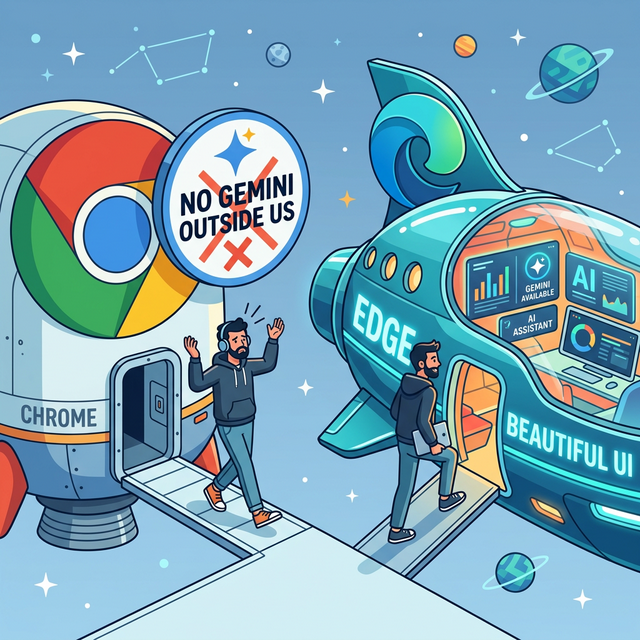
A journey from seeking AI to falling in love with a stunning new interface.
If you were to ask me what software I couldn't live without over the past decade, my answer would unconditionally be Google Chrome. As a power web user and developer, Chrome was the absolute foundation of my digital life. However, in early 2026, I made a decision I once thought impossible—I completely switched my default browser to Microsoft Edge.
The Catalyst: Gemini's Absence in Chrome (Outside the US)
To be perfectly honest, what initially caused my loyalty to waver wasn't the UI, but the lag in AI functionality. Google had been heavily advertising the seamless integration of Gemini within Chrome, but heavily compromised the experience by delaying the release of these features outside of the US.
While users in the US could smoothly interact with Gemini via the address bar and native sidepanels—summarizing lengthy articles and assisting with writing—I was left relying on standard search boxes or clunky standalone web tabs. This "regional gating" and the resulting drop in efficiency was the first step in pushing me out of Chrome's ecosystem.
Rebuilding Loyalty: Edge's Breathtaking UI Experience
Desperate for a built-in, powerful AI assistant for work, I downloaded Edge, initially intending to use it solely for the Copilot sidebar. But I quickly discovered something astounding: Edge has fundamentally surpassed the current state of Chrome in terms of UI design and user interaction.
- Exquisite Acrylics and Fluidity: Edge's latest UI updates make tabs, sidebars, and dropdown menus look incredibly cohesive. Perfect animation transitions and rounded geometries make every click feel "premium".
- Silky Smooth Vertical Tabs & Workspaces: For someone who routinely keeps 50+ tabs open, Edge's deeply optimized native vertical tabs are a lifesaver. Combined with the Workspaces feature, the browser feels organized, completely eliminating the claustrophobic feeling Chrome's horizontal tabs often created.
- Native Split Screen: Rather than fumbling with OS-level window snapping, Edge handles split screens directly within a single browser tab. This is an absolute killer feature that boosted my research productivity.
Why Not Other "AI-Native" Browsers?
In this era of rapid AI expansion, I naturally gave the so-called "next-generation" AI browsers a spin, but ultimately had to pass on them:
❌ Why Not Comet?
Comet pitches itself as "born for AI," and its UI is undeniably avant-garde. The biggest pain point, however, is its fragmented extension ecosystem. Many essential underlying plugins I rely on are either unsupported or highly unstable. Additionally, due to its heavily customized rendering engine, Comet occasionally stutters and hogs resources on complex web pages.
❌ Why Not Brave?
Brave has always been my backup browser for privacy. It features its own AI assistant, Leo. However, Brave's problem is that the AI experience feels disjointed and intrusive. Leo's recommendations occasionally feel out of place in an interface meant to be clean and stripped down. More importantly, Brave's cross-device bookmark and tab syncing frequently ran into lags and conflicts in my workflow—nowhere near as rock-solid as Edge's Microsoft account sync.
Conclusion
The browser is the tool we stare at the most every single day. In 2026, it shouldn't just be an uninspired webpage renderer. Microsoft Edge didn't just fill my desperate need for a native AI sidebar with Copilot; its meticulous craftsmanship in UI aesthetics and productivity features has genuinely converted this old Chrome fanboy.
If you are also outside the US, tired of the never-ending waitlist for Gemini, and craving a web browsing experience that is not only smarter but undeniably more beautiful, Microsoft Edge is absolutely worth a second look today.